


Record less, but record it completely
A useful session record does not need a hand-by-hand account. Start with the date, game, stakes, first buy-in and starting time. During play, capture additional money put into the session. At the end, record the cash-out and finish time. This is enough to avoid the most common memory gaps.
The aim is a routine you will use after a difficult evening as reliably as after a win. A detailed spreadsheet with missing losing sessions tells you less than a simple log that is complete.
Before you sit down
Choose the bankroll the session belongs to and confirm the currency. A name such as “Friday cash” can be enough; the venue and stakes make later comparisons easier. Enter the actual first buy-in, not the amount you happen to be carrying in your wallet.
Set your spending boundary and intended finish time separately. Tracking does not enforce a casino or poker-site limit. If you need a hard spending restriction, use appropriate controls available from the operator or your payment provider as well.
Bankroll Manager supports live and online sessions, cash games and tournaments. Choose the right type at the start so later entries have a consistent meaning.
During the session: capture contributions immediately
When you add another 200 to a 300 starting stack, record the 200 as another contribution. Do it while the amount is fresh. “I think I bought in twice” is difficult to reconcile the next day.
For a tournament, record re-entries and add-ons as applicable. If an entry price includes a fee, use the full amount charged once. Optional notes can explain something unusual, such as a break or a change of game. A short factual sentence is easier to use later than a long explanation written while distracted.
Do not treat the amount marked in play as your current stack. Contributions and live chip value are different measurements.
After play: close the loop
Count the money you cash out, enter the final amount and finish the session. Check the start and finish times while you still remember any corrections. If you leave with nothing, enter zero; a zero payout is meaningful information.
For a 300 first buy-in, 200 top-up and 650 cash-out, the completed result is +150. If you only remember the first buy-in, the apparent result becomes +350. A ten-second contribution entry prevents a 200 error.
A deposit into the overall bankroll belongs in bankroll transactions. It should not be entered as a session payout to make the balance match.
Make notes useful rather than exhaustive
Good notes explain context you may otherwise forget: a different game format, an unusual fee or a session stopped early. Avoid putting unnecessary personal information about other players into records or media.
Bankroll Manager supports notes and session media. Those features are optional. You do not need photos or detailed hand descriptions to maintain accurate financial records. The routine should work when the only information you enter is the money and time.
Review History without overreading it
Open a finished session in History to check its individual details. If something is wrong, correct the original record instead of adding a fictitious balancing win or loss. When reviewing several sessions, consider whether game type and stakes are actually comparable.
A short run can look dramatic in either direction. Complete records help you describe what happened; they do not make a small sample a reliable estimate of long-term ability.
Keep a backup you can restore
On-device records need a backup routine. Use the app's backup and restore tools, keep the backup somewhere you can access if the phone is lost, and check that you understand restoration before relying on it. CSV or JSON exports can help with analysis or portability; do not assume every export is interchangeable with a full restore backup.
- Before: game, currency, buy-in and time.
- During: every additional contribution.
- After: final cash-out, end time and a quick accuracy check.
- Regularly: review and back up.
Examples from Home, active sessions and History
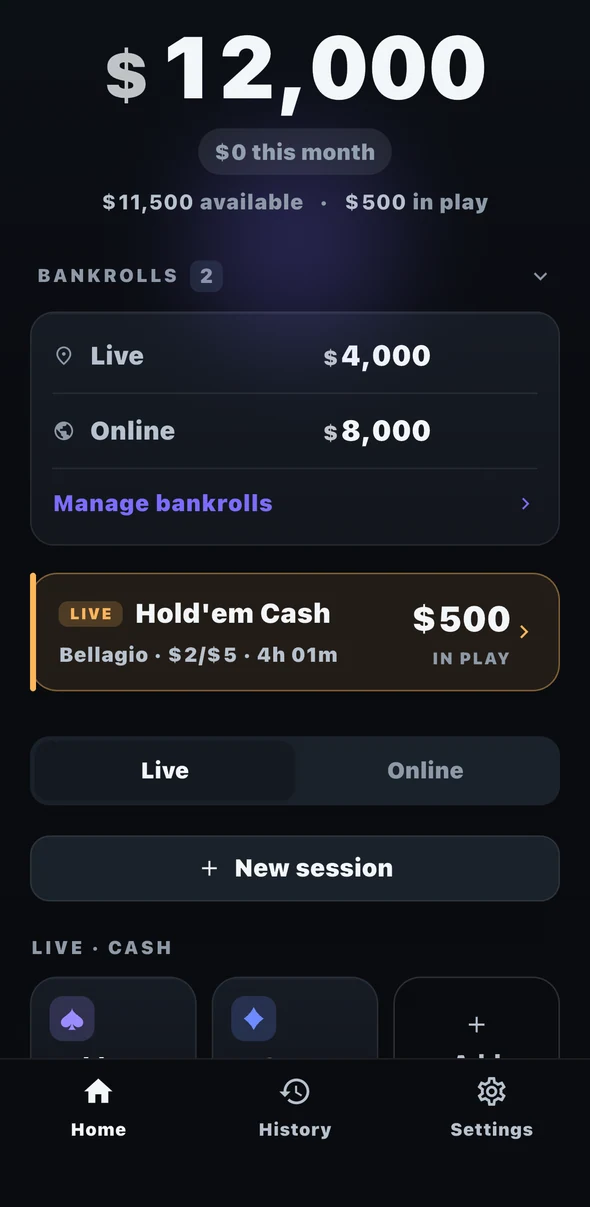
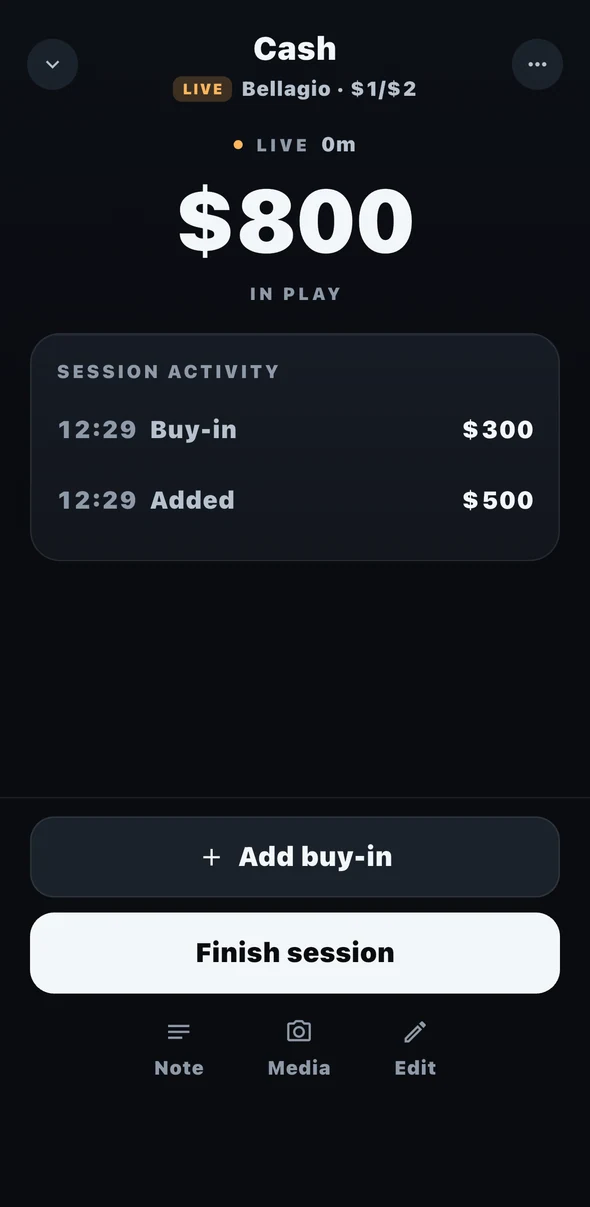
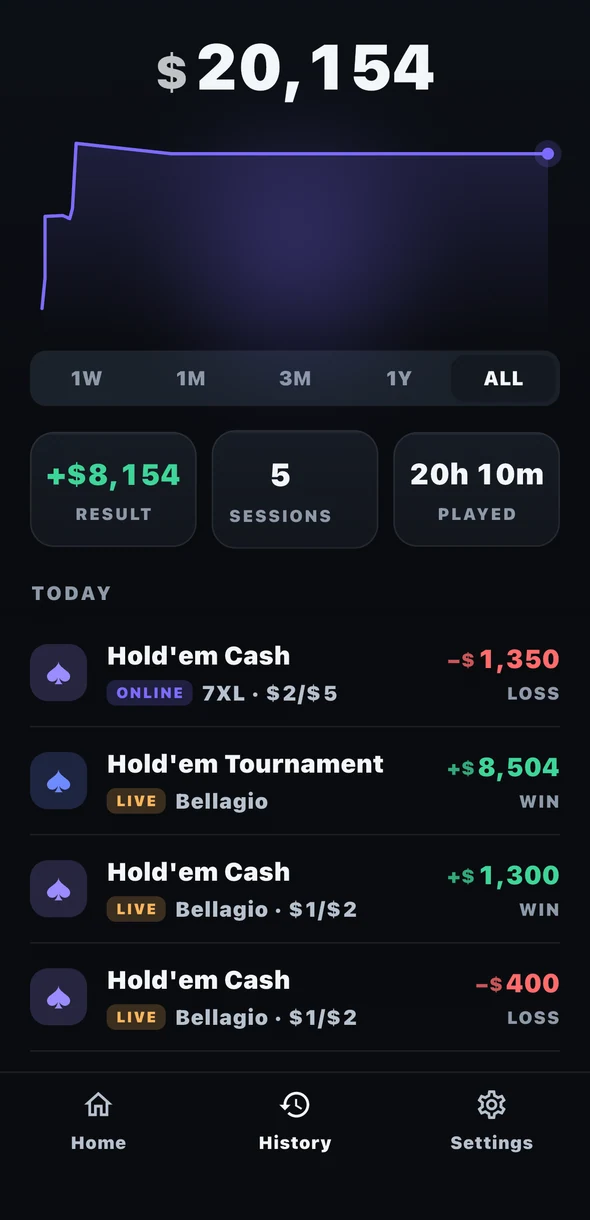
Genuine app screenshots with separate demonstration records. They illustrate different screens, rather than one continuous session. Screen layout may vary by device and version.